


www.srilankan.comで予約をされた方はオンラインで日程の変更が出来ます。
下記に従って変更をお願いします。
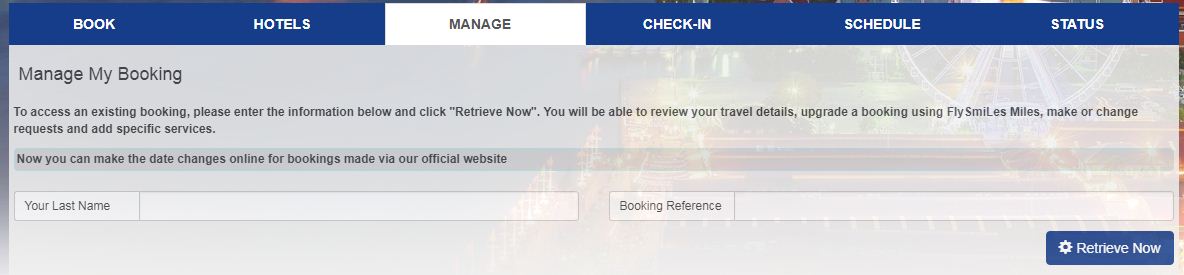
Log in to Manage my booking and enter your reservation number and the last name. Retrieve your travel details.
Click “Change Flights” button and select your new flight dates and complete the changing process.
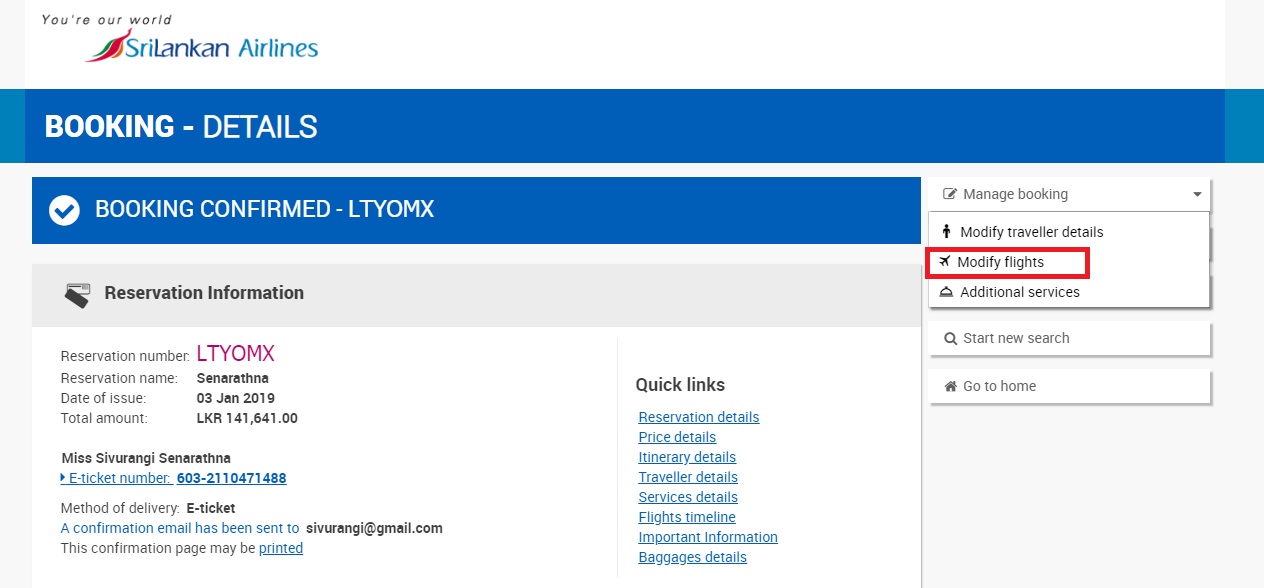
Once the re-issuance is successfully completed you will receive a confirmation mail from SriLankan Airlines, containing your new itinerary and ticket details.
Contact bookings@srilankan.com if you encounter any issues.
Online itinerary changes are only available for tickets purchased via Srilankan.com for SriLankan Airlines operating and codeshare flights.
This feature is not available for Redemption/award tickets.
Changes that are possible through this features are
Date changes subject to fare conditions, applicable procedures, local fees, fare differences, processing charges (if applicable)
Change your cabin class (From Economy to Business class or vice versa)
For changes in origin/destination or route, you may need to cancel your ticket and rebook the relevant routes by contacting our ticket offices or the Global contact center.
The respective penalties will be collected via Electronic Miscellaneous document (EMD) and are non-refundable.
Any fare or tax difference will be incorporated in your new e-ticket.
If there is any refundable balance it will be reflected in your confirmation e-mail. Please contact bookings@srilankan.com to receive the refund.
Changes are not possible if in case the ticket is used out of sequence.
If the itinerary is not cancelled and not rebooked 5 hours prior to departure of the original flight(s), it will be considered as a NO SHOW scenario for all passengers in the reservation.
For any re-issue of tickets within or after 5 hours of flight departure, no show charges will be applicable.
Changes cannot be made for separate passengers in the booking. The requested changes will apply to all passengers in the reservation.
When rebooking your new flight, please note that any chargeable services (excess baggage, on-board cake etc.) that your original flight carried will not be carried over to your new flight. If this applies to your booking, please contact bookings@srilankan.com.

 日本
日本